

Using the Postman collection
All 299 endpoints, each with a request body that has been run against the live API. Fork it, set your key once, and send a real request without writing any code.
Get an API key
Every request in the collection is authenticated, so you need a key before anything will return data. Keys are free to create; you only spend credits when a call succeeds.
- 1Create an account at occultapi.com/signup and verify your email.
- 2Open API keys in the dashboard and press Create key.
- 3Copy the key immediately. It is shown once and stored hashed, so nobody — including us — can show it to you again. Lose it and you rotate rather than recover.
Open the collection
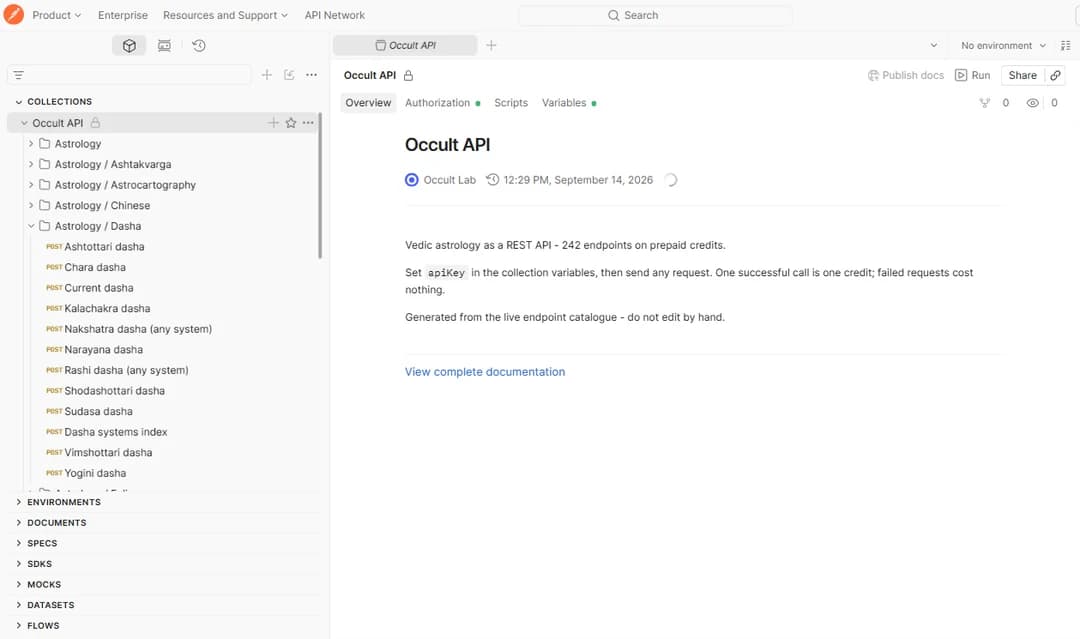
The collection is published, so there is nothing to import — the link opens it in your browser with every folder, request and response already browsable. You do not need a Postman account to read it.
Requests are grouped the same way the reference is: Panchang, Muhurta, Dashas, Charts, Calendars and the rest. Each one carries the same description you see in the docs, and the same body that was used to capture its example response.
Fork it to your workspace
Reading the collection needs no account, but sending a request needs your own copy of it. Forking makes one.
- 1Sign in to Postman, or create a free account.
- 2Press Fork Collection at the top of the collection, or the fork icon beside its name.
- 3Give the fork a label — your own name is fine — and pick the workspace to put it in.
- 4Leave Watch original collection ticked. That is what lets you pull new endpoints later instead of forking again.
- 5Press Fork Collection. Your copy opens, and nothing you change in it affects ours.
Would rather not use a Postman account? Download the JSON and use Import in the Postman desktop app instead. You lose the update link, so you would re-import when the API gains endpoints.
Set your API key
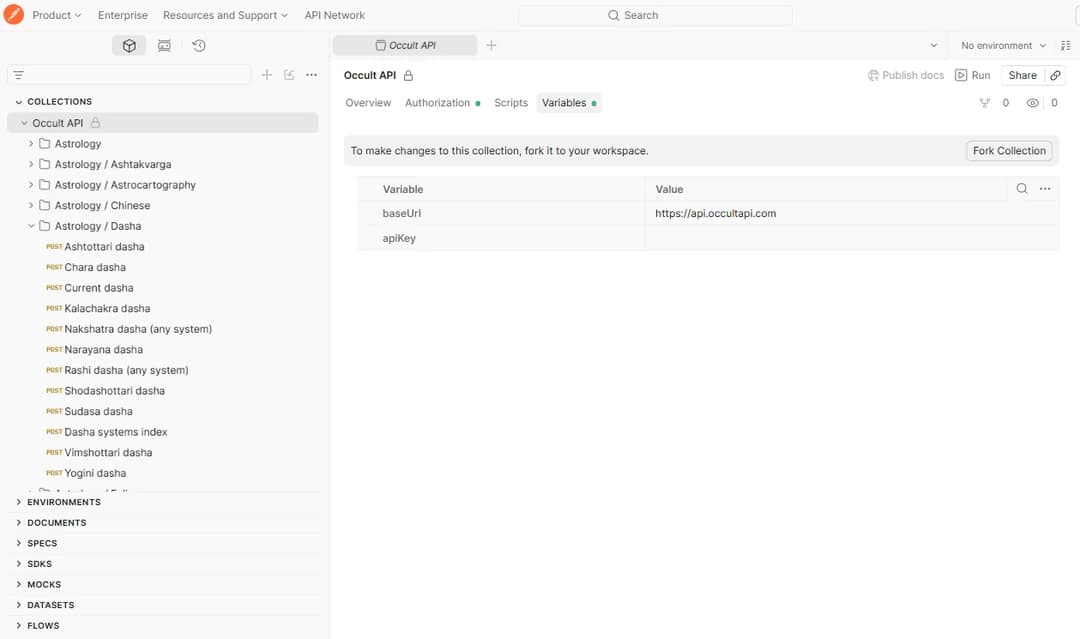
Open the collection’s Variables tab. There are two: baseUrl, already set to https://api.occultapi.com, and apiKey, which is blank. Paste your key into the apiKey value and save.
That is the only auth step. Every request in the collection inherits the key from here and sends it as the X-API-Key header, so you set it once rather than on 299 requests. Get a key from your dashboard if you do not have one yet.
Keep the key server-side. An API key is a credential, not a public identifier. Use it from Postman and from your own backend, but never ship it in browser JavaScript or a mobile app, where anyone can read it out and spend your credits.
Send your first request
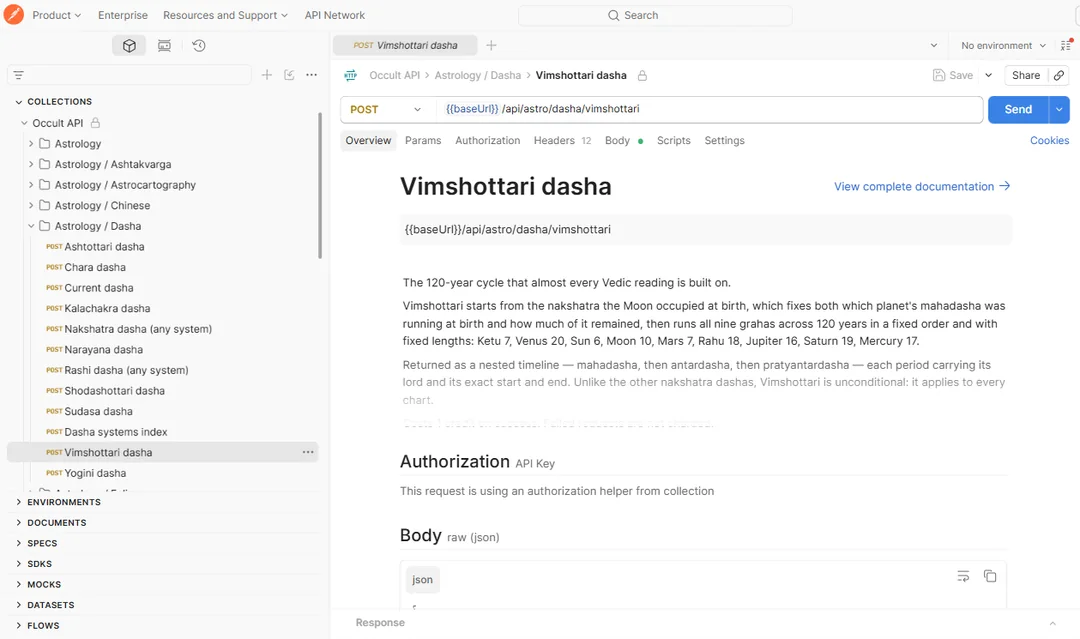
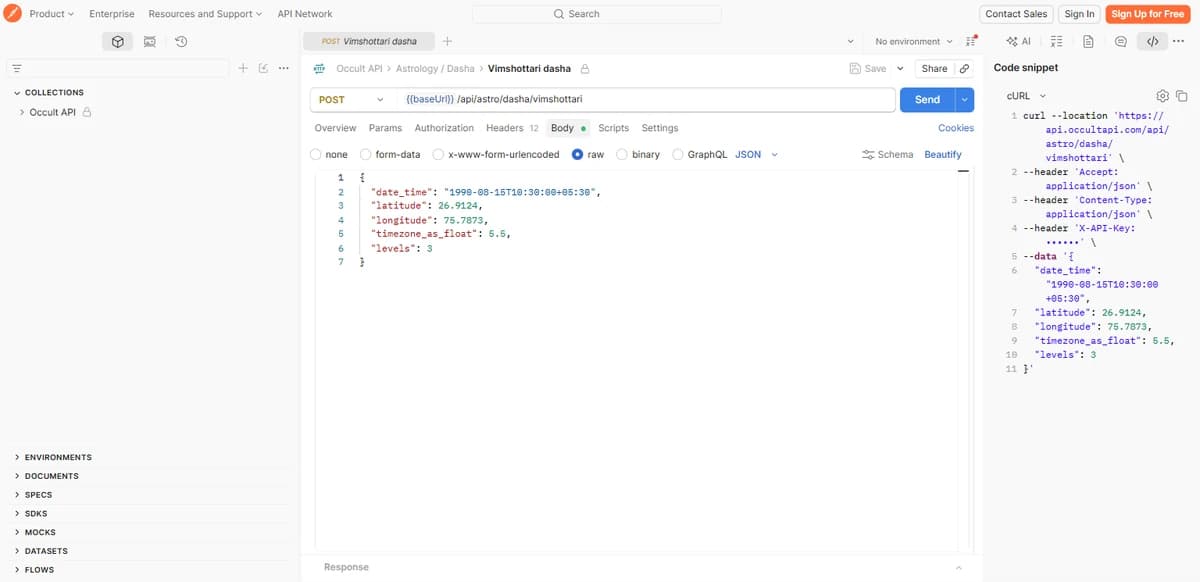
Every request is POST with a JSON body, and the URL uses {{baseUrl}} so you never type the host. The description on each one is the same prose as its page in the reference.
- 1Expand a folder in the sidebar — Astrology / Dasha is a good place to start — and click a request.
- 2Check the Authorization tab says it is inheriting from the collection. That is the apiKey you just set; you do not add a header yourself.
- 3Press Send. The body already holds valid values, so the first call works without editing anything.
Put your own data in
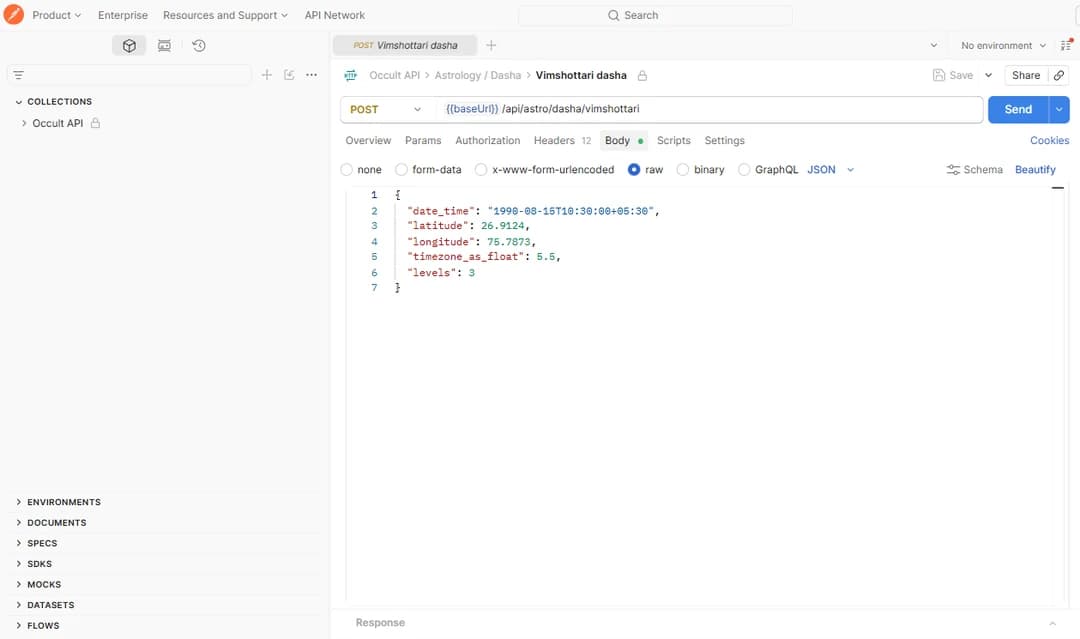
Open the Body tab and edit the values. Four fields carry most of what a chart needs, and getting them wrong is the usual cause of an answer that looks subtly off rather than an error.
- 1
date_time— ISO 8601, and always include the offset (+05:30) or a trailingZ. A value with no zone is read as Asia/Kolkata, which silently shifts a chart for anyone outside India. - 2
latitudeandlongitude— decimal degrees, not degrees and minutes. Watch the sign: a missing minus puts New York in China. - 3
timezone_as_float— the offset in hours as a decimal.5.5for India,-5for New York. - 4Press Beautify if the JSON gets untidy, then Send again.
Read the response, and what it cost
The response pane opens underneath. The body is the data; the headers say what the call did to your balance.
- 1Body — the JSON. Everything sits under a
datakey, withmessageandis_errorbeside it. - 2Headers —
X-Credits-Costis what that endpoint charges,X-Credits-Chargedis what you were actually billed, andX-Credits-Remainingis your balance afterwards. - 3Charged reads
0on any failure — a malformed body, a bad date, an error of ours. Experiment freely; you only pay for calls that returned data. - 4Press Save as example to keep a response on the request, so your team can see the shape without spending a credit.
Generate code for your language
Once a request does what you want, Postman will write it out in your language. Open the </> Code icon in the right rail and pick cURL, Python, Node, PHP, Go or any of the others.
The snippet resolves {{baseUrl}} to the real host and includes the X-API-Key header, so it runs as-is. Replace the key with an environment variable before committing it — the snippet contains a live credential.
Run a whole folder at once
The Run button at the top of a collection or folder sends every request in it in order. Useful for checking a key works across a whole category, or for a smoke test after you change something.
Remember that each successful call spends a credit, so running all 299 costs 299 credits — more, since the chat endpoint and the two PDF reports cost 25 each. Run a folder rather than the whole collection unless you mean it.
Keep your fork up to date
The collection is generated from the same catalogue the documentation is built from, so it gains endpoints when the API does.
- 1Postman shows a pull changes option on your fork when the original has moved.
- 2Taking it brings new requests across without touching bodies you have edited or variables you have set.
- 3The changelog lists what was added and when, so you know whether a pull is worth it.